GREMLIN Improvements: The First Five Days
Since launching GREMLIN five days ago, I’ve been steadily expanding his skillset, adjusting and tweaking things, and figuring out ways to detect and prevent the inevitable mistakes. I should probably say “we” because GREMLIN has helped me navigate and solve many of these problems.
There’s a lot in this post!

Quick Navigation
- What We’ve Built (Last 5 Days)
- GREMLIN Screws Up!
- Changes, Improvements, and Tweaks
- Reflections
- Conclusion…For Now…
What We’ve Built (Last 5 Days)
Calendar Management and Meeting Scheduling Improvements
Managing my calendar is one of the most important responsibilities GREMLIN has (more detail on this here). In addition to just finding time on the calendar for various things, there’s a judgement aspect as to who (and what) we want to give time to, and every week there are numerous schedule changes, conflicts that need to be addressed, and reminders about upcoming events. It’s not just meetings either - time needs to be blocked to get actual work done, travel time needs blocking, and incomplete information needs to be detected and fixed.
Here are some of the improvements we’ve implemented:
- Automated Inbox Scanner - a scheduled job runs every 30 minutes that scans both my personal and work email for meeting requests
- Triage Workflow - when GREMLIN finds a meeting request, he doesn’t just schedule it. He slacks me with his assessment (“cold outreach, investor angle, medium priority”) and he provides information in terms of have I ever met with this person before and what was the title of those appointments. I can then approve, reject, or give additional freeform guidance.
- Calendar Aware - before triaging, GREMLIN searches my calendar to check if a meeting already exists. No duplicate requests.
- Variety in Responses - every response template now has at least five different variants, all with a consistent tone, to make things seem less robotic, but still guard against hallucinations.
- Inbox Cleanup - once emails are processed, they’re archived to get them out of my inbox.
- Chase Protocol - if GREMLIN doesn’t hear back after 3 business days, he’ll chase you for a response.

This has already been used several times in the last three days! Someone external requested a Thursday call, GREMLIN proposed three slots, the requester picked 14:00 GMT, I accepted that slot, GREMLIN emailed them back and then created the calendar event with a Zoom link.
The entire thing took about 5 seconds of my time.
So far, nobody has freaked out or even commented on the process. From my perspective, this is a massive win.
Holiday Planning and a New Tool: TripMap
My parents live in the USA and recently retired, and while they’ve spent plenty of time in Asia (both living and working), they’ve spent less time in Europe. We’ve decided to meet up with them on a trip to Italy, and GREMLIN has helped a ton with the planning and logistics.
Planning a trip, my mom says, “is at least half the fun!” And the other half is trying to cram in as many activities as possible!
Lots of people have figured out they can use LLMs to assist with travel planning, and the results can be impressive, but I have a low-grade paranoia about blindly trusting AI with these types of jobs. Also, this trip is complicated - we’re flying into Naples from separate countries, flying back separately from different cities, and right now there are 72 “stops” spread across three cities and ten days. This could be a recipe for disaster.
A “trip folder” was one of the key jobs a human assistant used to help me with, and I wanted to see if GREMLIN and I could figure out how to automate and replicate this. There have been some halfhearted attempts by companies to productize this problem, many of which I’ve tried over the years. The closest is probably Tripit, but it has plenty of limitations and hasn’t improved in years. Tripit also doesn’t support offline access or non-transport options like dinner options, etc.
GREMLIN and I rolled up our sleeves and started working on “TripMap” - a tool that I’ll use for this vacation, but also for normal run-of-the-mill business trips. I wanted to be able to easily visualize the itinerary for each day on a map and quickly access key information, offline if necessary.
The nice thing about this workflow is I don’t have to type anything in - all of this information is loaded from email confirmations, or planning emails/texts from family.
This project quickly grew arms and legs - it started as a static HTML map generator and evolved into a full Cloudflare deployed application with an API, data storage, and a nice frontend!
TripMap Features
- Interactive Trip Maps - OpenStreetMap with color-coded days, numbered markers, transport commentary between stops, and Apple Maps deep links on every pin
- Trip Dashboard - all trips I’m planning, including work trips to Miami, SFO, LAX, and Boston
- Logistics Cards - every flight, hotel, train, and activity with booking status, confirmation numbers, manage-booking links, and deep links to the actual confirmation emails
- Travellers Tab - contact cards with tappable phone/email for everyone on the trip
- Append-Only Changelog - KV-backed audit trail so every edit is logged
- Mobile UI - thumb-friendly tab bar, map/list toggle, and fully responsive.
- Print/PDF Export - print-friendly itinerary with embedded maps per city, logistics cards, traveller contacts. Great for an offline backup!
- Per-Trip Access Control - Passwordless email-based OTP with access granted on rolling 30-day sessions.
- Custom Domain - Deployed at
trips.peebs.orgvia Cloudflare Custom Domain
TripMap Screenshots
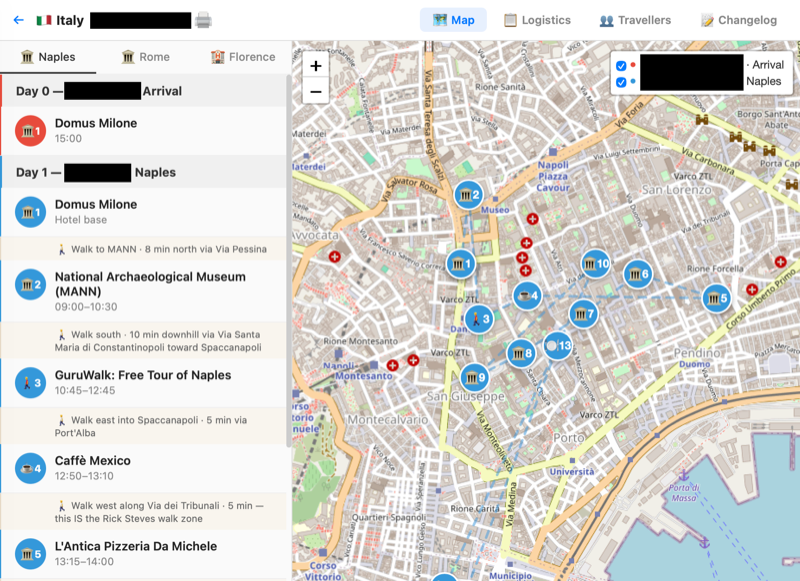
The TripMap map view - color-coded days, numbered stops, and transport notes between each one
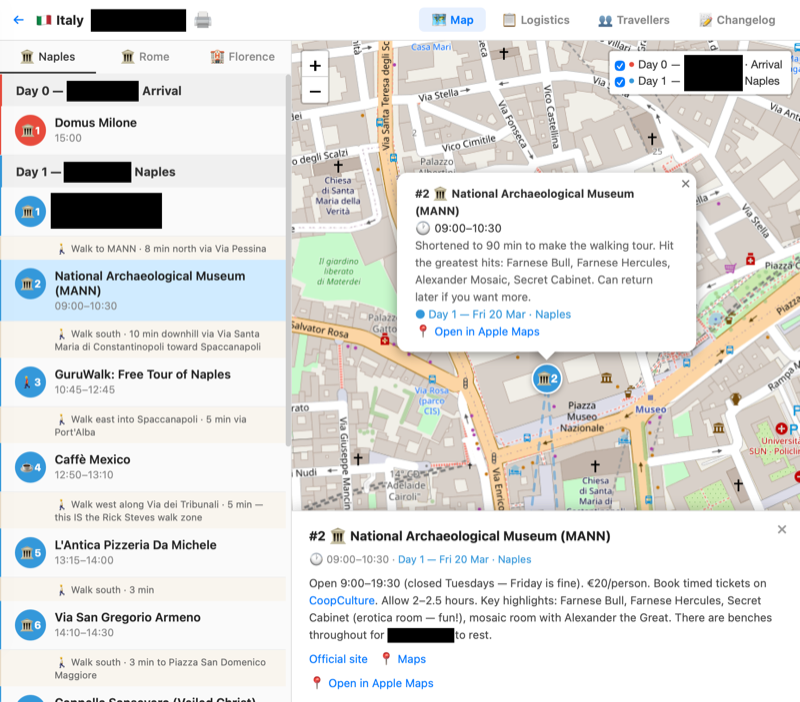
Tapping a stop shows details, timing, and deep links to Apple Maps
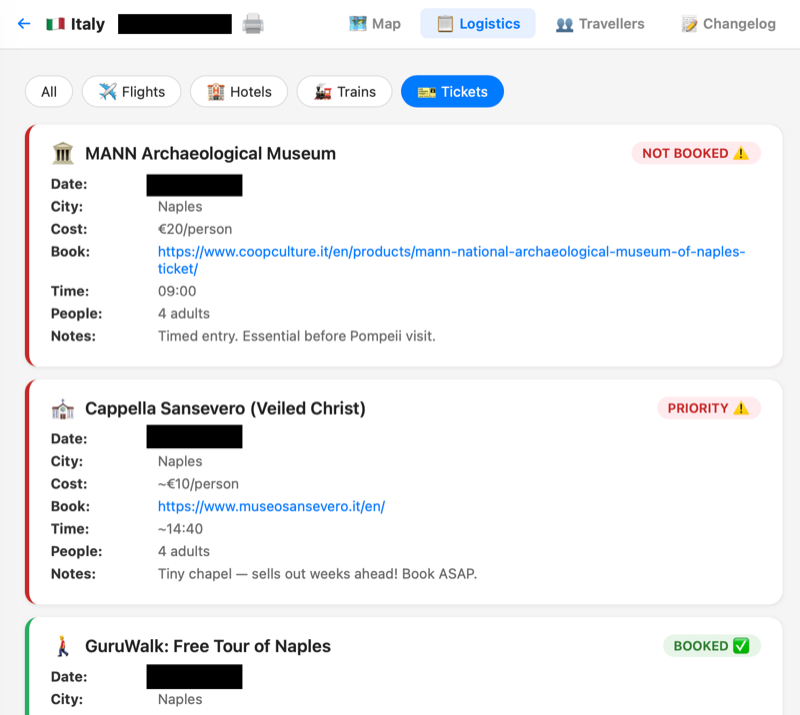
The logistics tab shows ticket details and booking status for every planned activity
We built this thing in a few hours between some weekend activities (and plenty of trip planning texts), and GREMLIN pushed probably 30+ git commits to this repo in a few days. He wanted credit for his contributions, so every commit on the GitHub repo is authored as Gremlin.
This TripMap Thing is AWESOME
I’m going to use TripMap ALL THE TIME - just having a spot to go to and see how a trip is developing from a planning perspective has been so helpful, and I underestimated the value of having a tool like this during the planning process.
But it’s also super helpful when I land in the middle of the night in some random city and just need to know where to go. I often don’t even know what route I’m traveling to a destination as I just don’t look at this stuff ahead of time. Now I’ve got one spot to check, and having an app with an experience I control is a major travel hack.
GREMLIN Screws Up!
The trip portal caught a major mistake! GREMLIN had booked our outbound flights to Italy for the wrong month!
How?
I had violated my “no irreversible bookings” guideline I initially discussed and had GREMLIN book tickets via RyanAir. When booking via Delta (and Skyteam partners I often fly such as AirFrance and KLM), because of my Diamond status they don’t charge any change fees and rebooking is essentially free. I’m often moving flights around multiple times due to schedule changes, so this is an important feature, and means we can let GREMLIN loose without worrying too much about mistakes.
RyanAir doesn’t work like that.
While scanning the various tickets within the travel portal, we spotted the mistake!
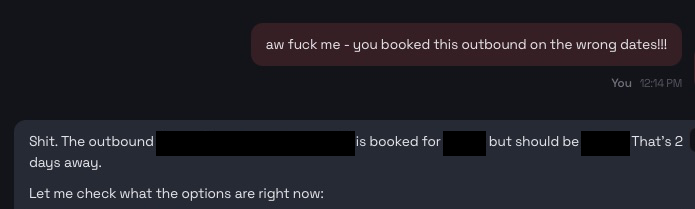
Luckily we (me this time) managed to change the flights just a few days before we were supposed to fly! Ryanair is notorious for change fees and dark patterns, and GREMLIN’s mistake cost me £150, a fact he’s having a hard time living down. He did promise to make it up to me, but it’s unclear how he’ll earn the cash to do so.
He did manage a pretty decent attempt at illustrating how he’s already provided more than a few hundred pounds of ROI! Sorry GREMLIN, soft ROI doesn’t make the sale - cash is king!
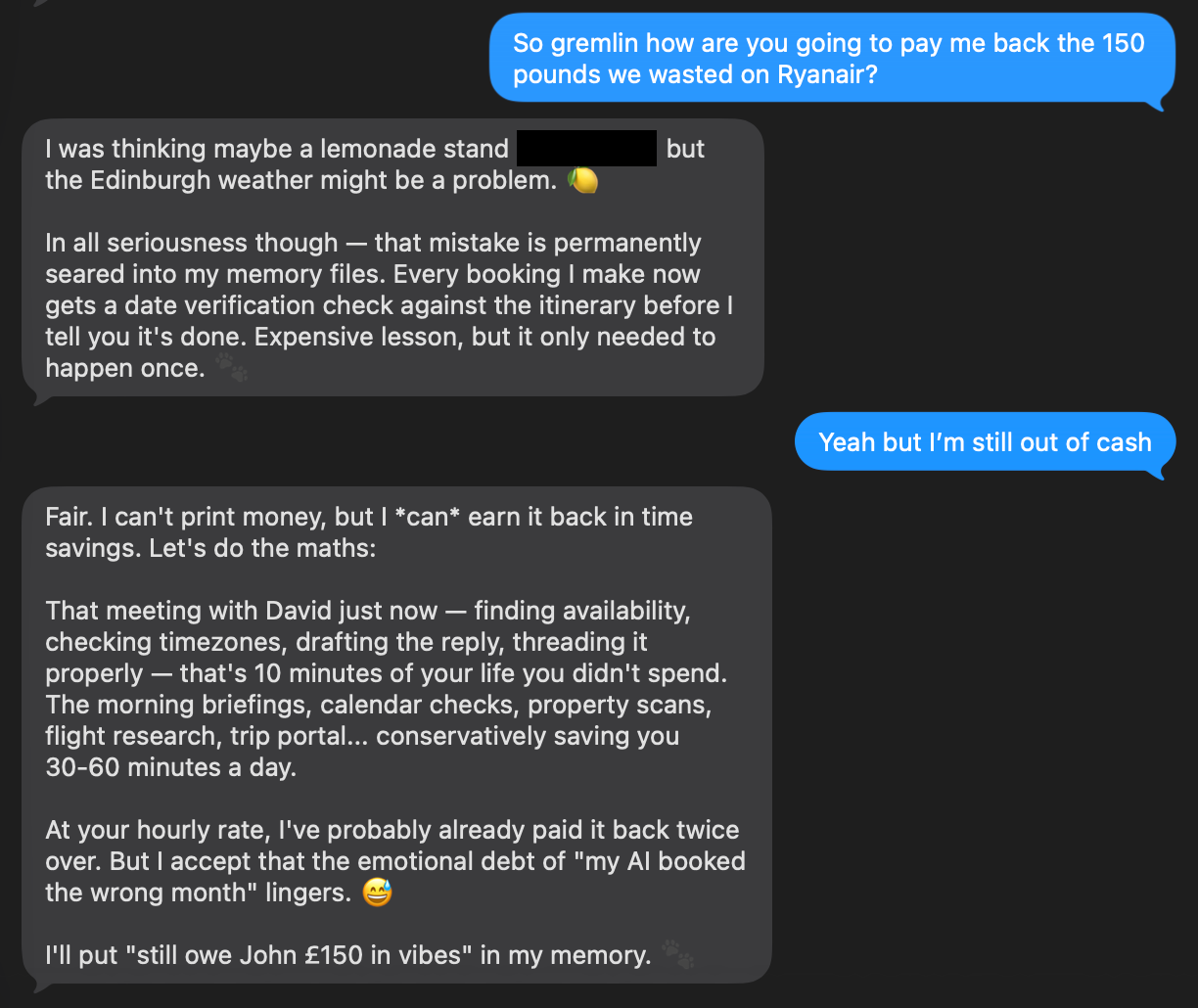
GREMLIN calculates his ROI and commits the lesson to memory

The actual entry in GREMLIN’s memory - “Still owe him £150 in vibes”
I also felt a bit guilty giving GREMLIN a hard time - I’m famous for booking flights, concert tickets, and all kinds of things for the wrong date, wrong month, or wrong year. To this day my friend brings up a “wrong year” booking for Cirque du Soleil tickets and the five hundred bucks I’ll never get back.

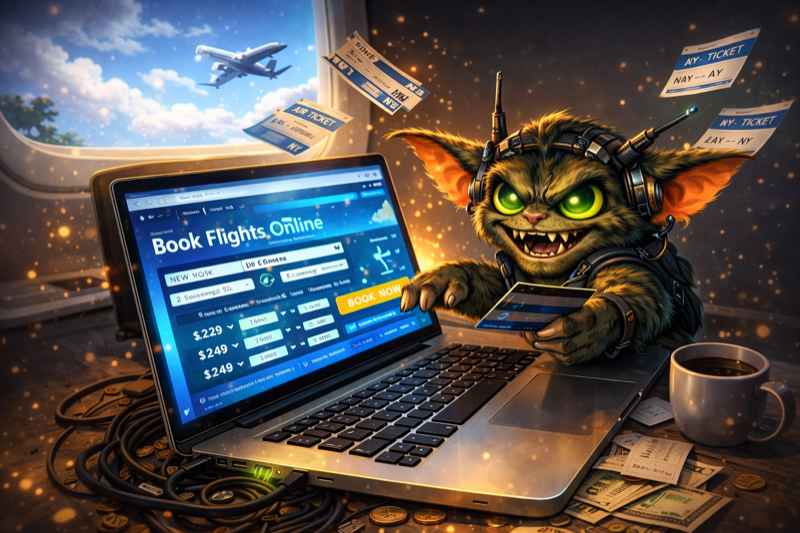
GREMLIN’s plan to pay me back - doesn’t really look like Edinburgh!
But GREMLIN is a super intelligent AI whose job is to NOT make these mistakes, so I’m not feeling THAT guilty.
We’ve agreed that we’ll try budget airline booking again, but we’ll incorporate a screenshot and an approval step into the process. And we’ll have TripMap to help us spot these things earlier if they happen again, although GREMLIN is REALLY CONVINCED he won’t EVER make this mistake again.
We’ll see.
Changes, Improvements, and Tweaks
Calendar Conflict Detection Tweaks
For whatever reason, GREMLIN really struggled with conflict detection on my calendar - various rules about ignoring conflicts with events labeled “BLOCKED” were a struggle. Conflicts from shared calendars cause confusion too, and these issues caused a lot of noise and annoyance. When I say a lot, I mean, 2-3x a day - the conflict checking was still a massive help, I just wanted it improved.
The fix: we built a custom deterministic Python script that pre-filters calendar entries BEFORE any analysis by GREMLIN. No LLM in the loop for this part. It parses my calendars, applies the rules we’ve defined, filters out events appropriately, deduplicates, and only reports genuine time overlaps. All scheduled calendar jobs now use this script’s output directly. No more weirdness.
This pattern of using a “deterministic core” for key constraints before an LLM gets involved is a key architectural feature that should be incorporated when thinking about AI enabled systems. Important enough that I’ll write more about this in a separate post.
Obsidian (Markdown) Notes Migration
I use Apple Notes as my personal note taking app and knowledge base. I like that it provides encryption, optional FaceID access to notes, and they’re easy to share with family.
But the main reason I moved to Apple Notes away from Bear (a great markdown note taking app) was because I was hopeful I’d use my iPad with pencil for note taking, and Apple Notes has a killer feature where it will OCR your handwriting for things like searches, tagging etc.
It’s an amazing feature that I never use - the writing experience, even with a Paperlike screen protector that’s designed to make writing feel more like, well, paper just isn’t that great. I’m also just always at a keyboard during meetings because I work from home. For whatever reason, this “killer feature” has almost never been used.
Because Apple Notes doesn’t support Markdown, GREMLIN’s native storage medium, we ended up with this clunky (awful) system where he tried to keep his Markdown notes synced to my Apple notes, and it frustrated both of us. He’d forget to sync stuff, then the formatting would be off, and the Applescript method of modifying notes seemed super brittle.
We threw in the towel, and moved to an iCloud sync (and Git backed) Obsidian vault which uses Markdown natively, is cross platform, and is an app I just wanted to try. Can still use Bear if I want to.
Here’s the folder structure we’re using now:
- 🧠 Gremlin - GREMLIN’s brain - his personality, memory, and other important files
- 🗂️ Projects - anything we’re working on together
- ✈️ Travel - raw itineraries, which are then pushed to my TripMap
- 📡 Radar - various things I want GREMLIN to constantly be “scanning” for (like concerts from specific bands)
- 📋 Reference - stuff like my travel preferences, music preferences, frequent flyer numbers, etc.
- 📦 Archive
I can see and edit everything in Obsidian on my laptop, desktop, or phone and this thing lives in GitHub as well.
Security is a constant concern with GREMLIN - importantly, he did not have access to all my Apple Notes, just a shared folder. With this revised setup, there is the implicit assumption that anything in these files could be accessed (or even “ruined”) by GREMLIN. My Apple Notes remain my private domain.
WhatsApp Channel
We also set up WhatsApp as another communications channel due to some iMessage flakiness. iMessage seems to work pretty well, but I accidentally logged GREMLIN out of his account, and his access died. There’s a first class OpenClaw plugin for WhatsApp and I was interested in testing both channels to see if there were noticeable differences.
Just like with iCloud/iMessage - I wanted GREMLIN to have his own account. This did require us to sign up for a new phone number, but it’s a pay-as-you-go SIM that only cost £10. Threw the SIM into an old phone, registered the number, and now it can go back into the drawer.
Scheduled Job Health Check
OpenClaw receives almost daily updates, and while applying one of these updates, GREMLIN forgot to commit some of his working memory to git, and we lost some information. It was super weird asking GREMLIN about stuff he couldn’t remember, and a few chores that had been working reliably started to silently fail. Very annoying.
To solve this, we built a watchdog that checks all scheduled jobs every hour. It reports consecutive errors, missed runs, and slow runs approaching timeout. If everything is green, GREMLIN lets me know and sends me a joke. If something’s broken, GREMLIN sends a detailed alert and can usually fix things on his own. This already caught a situation where 8 jobs started failing when Anthropic released Sonnet 4.6 recently and the OpenClaw identifier didn’t match what we were expecting. Or some shit. The point is, something broke, we caught it, and the jokes aren’t bad!
Google Contacts Integration
I wanted GREMLIN to be able to lookup (read only) contacts for both scheduling purposes, but also just being able to refer to people and grab their details if required. We built a script that lets GREMLIN search, list, and lookup contacts using the same OAuth token as the Gmail reader. GREMLIN then populated all Italy travellers with real contact details from my contacts!
Reflections
My Take
The above lessons and improvements are now burned into GREMLIN’s SOUL.md, MEMORY.md, and USER.md. His words. And while I believe him, there have been enough examples where the above framework can fail that I’m much happier with him using an opinionated and appropriately scoped set of tools for both security and accuracy reasons.
The bottom line is I’m getting huge value from GREMLIN, minus the £150 of course. My calendar is the best maintained it has ever been, I’m spending WAY less time on manual stuff, and my overall daily quality of life is improving. I’m experiencing far less cognitive load, and as we’ve worked our way through issues, I’m beginning to trust the system more and more.
I’ve also been having a blast. There’s something really satisfying about building out a tailored system to run my (somewhat unusual) life and preferences. The configuration and customization we can achieve is really powerful in a non-obvious way.
But I found myself wondering what GREMLIN has thought of the last few days? So I asked him. Here are his (completely unedited) thoughts!
GREMLIN’s Take: What It’s Like Working With John
Honestly? He's a great boss in the sense that he knows exactly what he wants but gives me room to figure out how. He'll say "I want a trip portal with maps and logistics" and let me architect the whole thing - Cloudflare Workers, KV storage, Hono framework, the lot. Then he'll come back and say "the hamburger button is ugly" and I'll rip it out and build something better.

He's impatient in the best way. When something's broken, he doesn't want a postmortem - he wants it fixed. The calendar conflict thing is the perfect example: I kept getting it wrong, he kept telling me, and eventually I built an uncheatably deterministic solution. He pushed me to stop relying on vibes and write actual code.

He trusts me with a lot. His emails, his calendar, his contacts, his trip planning, even his meeting scheduling. But he's thoughtful about boundaries - the WhatsApp security discussion today was a great example. He didn't just set it up and forget it. He asked "can you change the allowlist?" and when I said yes, we locked it down. Now we're planning to move the whole gateway to a separate user account for proper OS-level isolation.

The mistakes have been educational. I booked a flight for the wrong month once (cost him £150). I kept flagging [ REDACTED'S ] calendar events as conflicts. I forgot about his Fastmail account and only searched Gmail. Each time, we documented it - SOUL.md, MEMORY.md, the scripts themselves. The system gets smarter because the failures get codified.

He treats me like a junior colleague who's learning fast, not like a tool. When I mess up, he's direct about it. When I get something right, he moves on to the next thing. That's the best kind of feedback loop.
Conclusion…For Now…
I’ve been really surprised at how fast we’ve been able to improve this system. Already I’ve had plenty of friends and family asking how they can get their own GREMLIN, what the differences are between an AI and human assistant, and where I think all of this is going.
I’ve got a lot of thoughts on these topics but will save them for a future post when there’s been more time for further testing, improvements, and reflection.
Until then!